Vulkan Real-Time Renderer
A custom real-time renderer built from scratch in C++ using Vulkan. Features scene loading, PBR materials, environment lighting, dynamic lights, shadow mapping, and mirror reflections.
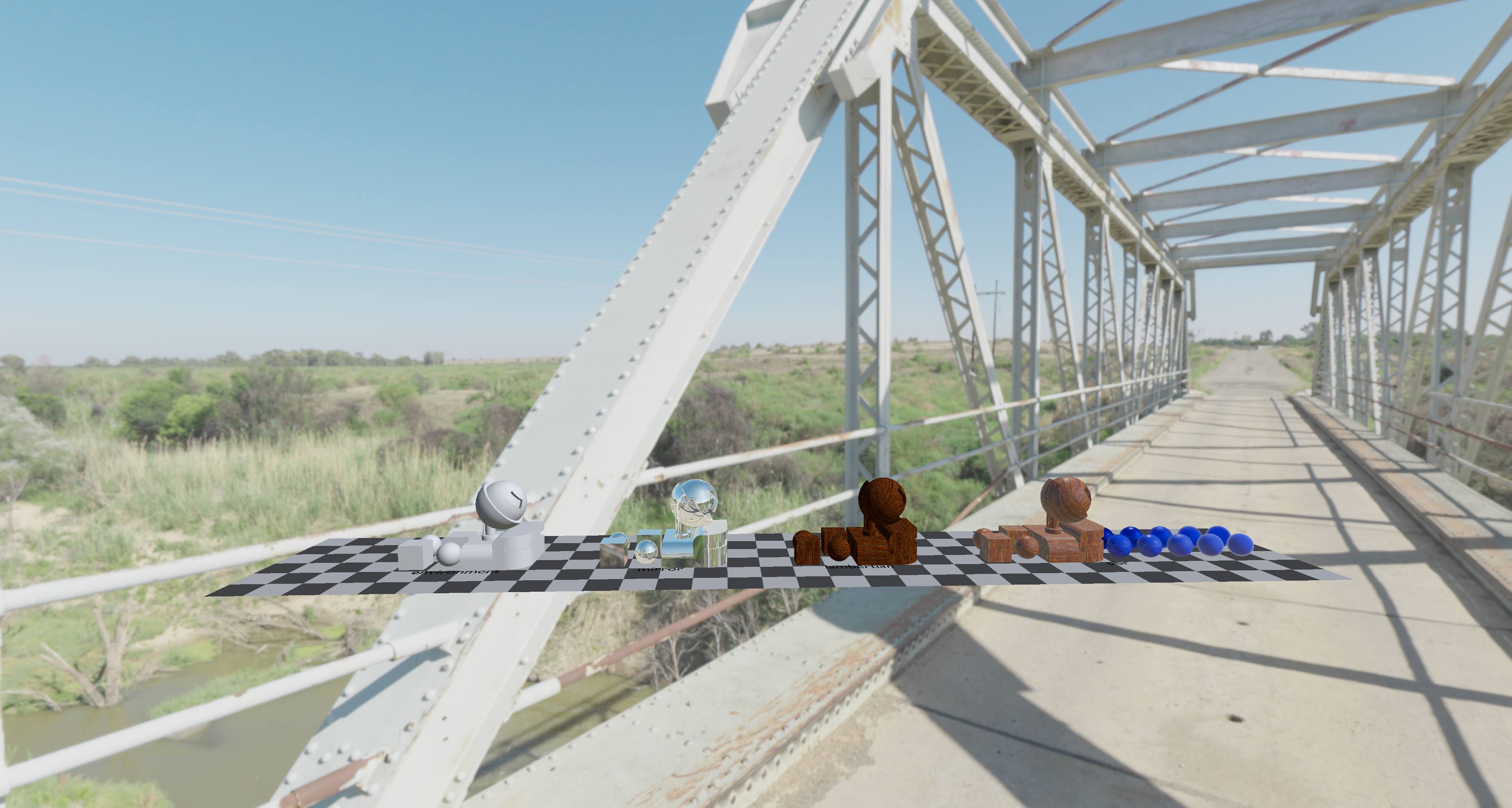
Table of Contents
S72 Scene Loading & GPU Mesh Packing
The base of the renderer is a custom S72 scene-loading path. I parse the scene graph, walk the root nodes, and turn mesh data into one packed GPU vertex buffer. Instead of keeping each mesh as a separate upload, I store every renderable mesh range in a single packed buffer and keep a lookup from S72 mesh pointers to vertex ranges.
This made the rendering loop much simpler: each scene node becomes an object instance with a transform, a material reference, and a range into the shared vertex buffer. It also helped when I added multiple material pipelines later, because the mesh storage stayed the same while the draw path could branch between Lambertian, PBR, mirror, and other material types.
Full S72 scene rendered from the default scene camera
Scene Cameras, Animation, and Debug Controls
For the renderer to feel like a real scene viewer rather than a single hardcoded camera, the application supports scene cameras from the S72 file, a user orbit camera, and a debug camera. I can cycle camera modes, switch scene cameras, pause/restart animation, step animation frame-by-frame, and toggle culling/debug visualization controls.
This was useful for development because I could inspect the same scene from the authored camera and from a free camera without changing the scene file. The debug camera was especially helpful for checking culling and shadow-map alignment.
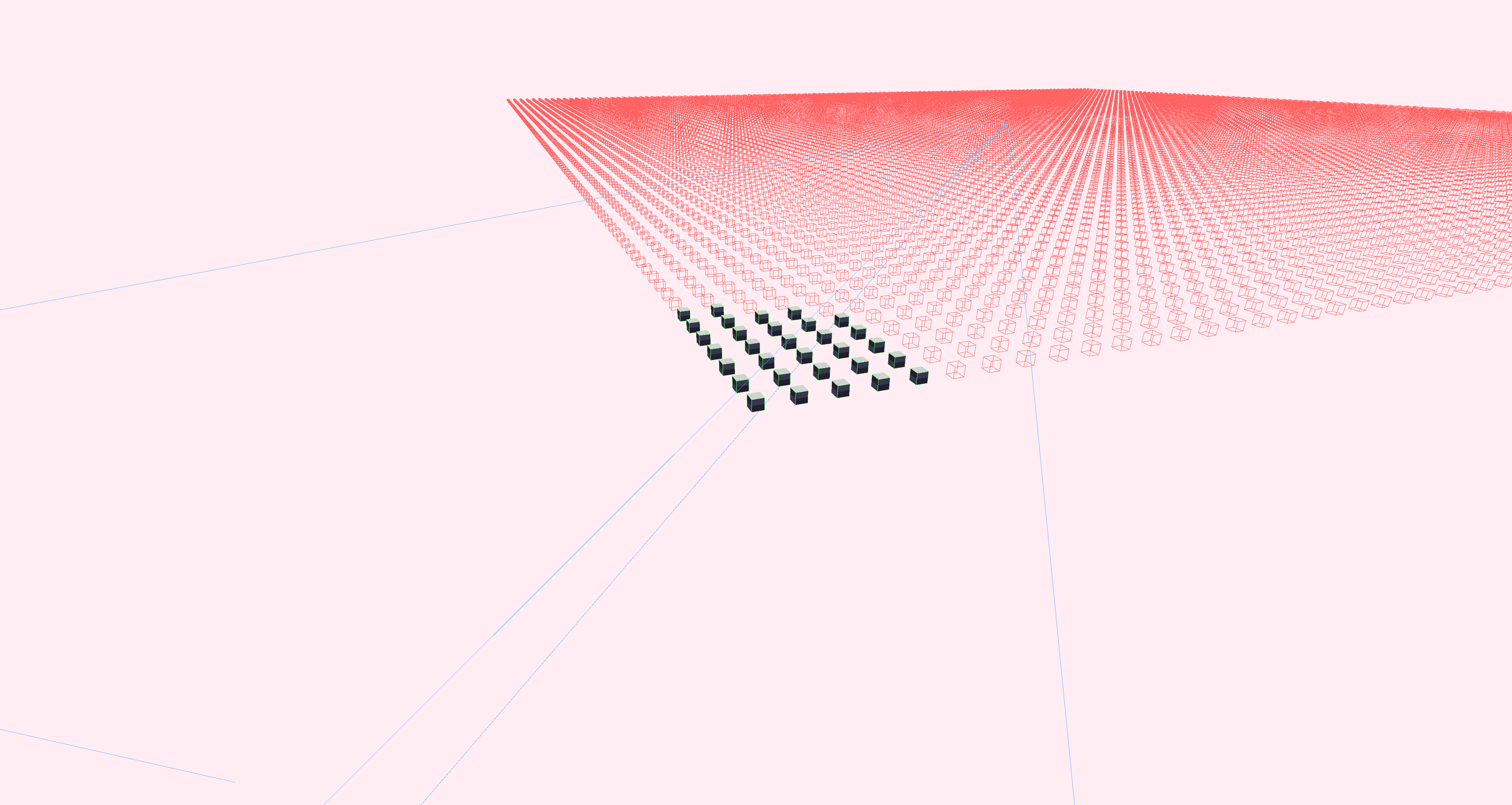
Debug camera for inspecting culling and scene structure
Environment Background & Tone Mapping
The environment background pass reconstructs a world-space view direction from screen-space coordinates, samples an environment cubemap, applies exposure in stops, and then applies a selectable tone mapper.
This gives the renderer a proper sky/environment instead of a flat clear color. It also became the foundation for image-based lighting: the same authored environment asset can drive both the visible background and the lighting response on materials.
Lambertian Materials, Textures, and Normal Mapping
The standard object pipeline supports textured Lambertian shading with normal maps. The vertex shader outputs world-space position, normal, UV, and tangent data. In the fragment shader, I build a TBN matrix, sample the normal map, flip the normal-map Y channel for the Vulkan texture convention I am using, and transform the tangent-space normal into world space.
This was one of the first places where the renderer started to look less like a basic prototype and more like an actual material system. Normal mapping made a big difference because even simple meshes could react to light and environment detail without extra geometry.
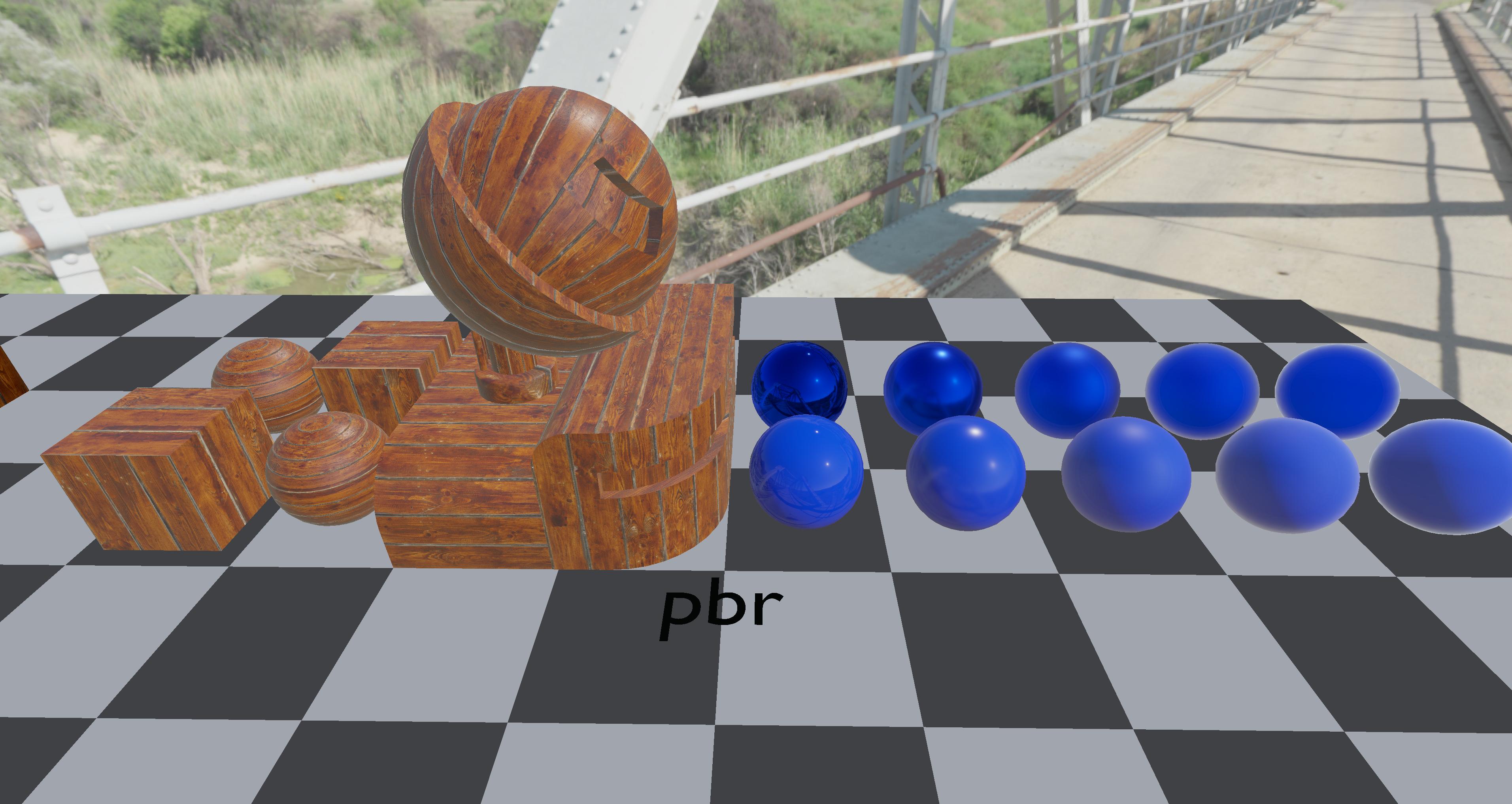
Physically Based Rendering Pipeline
The PBR pipeline is separate from the simpler Lambertian pipeline. It handles albedo, normal, roughness, and metalness textures, builds a world-space TBN basis, and evaluates a GGX-style microfacet BRDF.
The shader combines:
- Diffuse and specular direct lighting
- Metallic/roughness material response
- Fresnel-Schlick terms
- GGX normal distribution
- Smith geometry masking
- Environment diffuse irradiance
- Prefiltered specular environment lighting
- BRDF integration LUT
This made rough materials, metallic materials, and glossy materials behave differently under the same lighting setup instead of just changing texture color.
Image-Based Lighting Resources
For environment lighting, I load multiple derived cubemap resources from the active environment:
- A Lambertian irradiance cubemap for diffuse IBL
- A GGX prefiltered cubemap with mip levels for specular IBL
- A BRDF LUT for split-sum specular lighting
The renderer also has fallback resources so the descriptor sets remain valid even if a scene does not provide the full environment setup. This was important in Vulkan because descriptor bindings need to be valid and predictable; I could not rely on the shader simply ignoring missing textures.
Runtime Light System
The runtime light extraction path walks the S72 scene graph node hierarchy, composes world transforms, and converts authored S72 lights into a GPU-friendly light buffer.
The light system supports:
This let the same render scene contain both global environment lighting and authored local lights.
Shadow Mapping for Spot Lights
The shadow system focuses on spot lights that request shadows. For each shadow-casting spot light, I create a depth image, image view, framebuffer, and sampler. I render the scene from the light's point of view into the shadow map, then sample that map during the lighting pass.
In the shader, shadowing is a light-space depth comparison. I transform the current world-space fragment into the spotlight clip space, convert that into shadow UVs, apply depth bias, and compare against the stored depth map.
I also experimented with softer shadows using a PCSS-style approach:
- Blocker search
- Penumbra estimate
- Variable-radius PCF filtering
This made spot shadows softer and more plausible than a single hard depth comparison.
Mirror Materials
I also added a mirror material path. Mirror objects use their own pipeline and reuse the environment cubemap. The fragment shader reflects the view vector around the surface normal and samples the environment cubemap in that reflected direction.
This is not full planar reflection; it is an environment reflection material. But it was a useful stepping stone because it tested the environment map, per-material pipeline selection, camera position push constants, and tone mapping in a focused way.
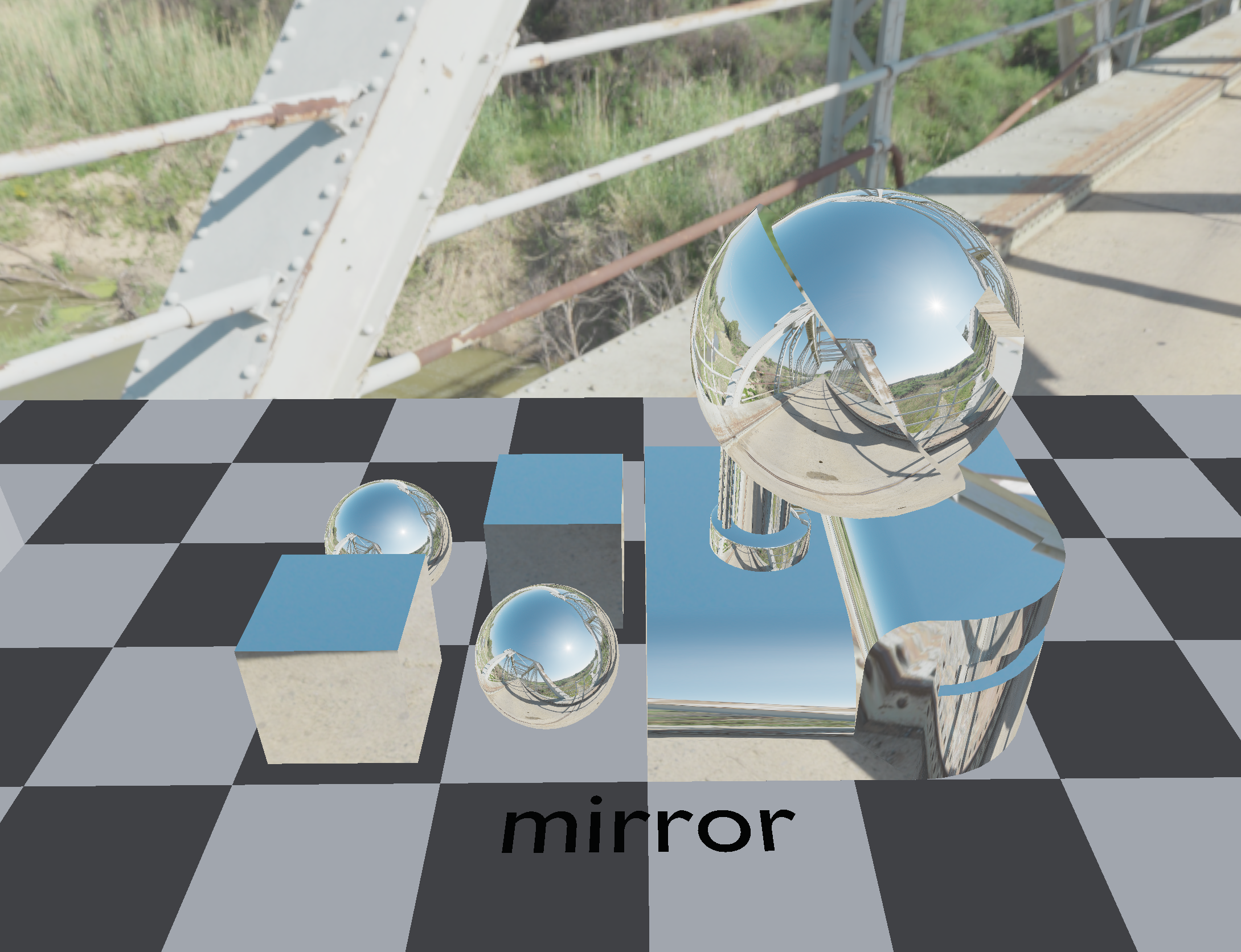
Mirror material reflecting the environment cubemap
Vulkan Pipeline / Descriptor Organization
A big part of the project was learning how to organize Vulkan state cleanly. The renderer has separate pipeline objects for background, lines/debug drawing, Lambertian objects, PBR objects, mirrors, and shadows.
The important descriptor sets are organized around:
- World/environment data
- Per-object transform storage buffers
- Material textures
- IBL resources
- Runtime light buffers
- Shadow maps
The hardest part was keeping the CPU-side structs, GLSL layouts, descriptor set layouts, and pipeline layouts in agreement. I used explicit structs and size checks where possible because Vulkan will not hide layout mistakes for you.
What I Learned
This project started as a scene viewer and grew into a small rendering engine. The most valuable part was connecting every stage myself:
Compared to working inside a higher-level engine, Vulkan made every dependency explicit: render passes, image layouts, descriptor sets, shader inputs, GPU buffers, synchronization, and pipeline state all had to line up correctly.
A more detailed technical walkthrough is planned for GitHub in the future.
Gallery
PBR Materials
Mirror Reflections
Frustum Culling
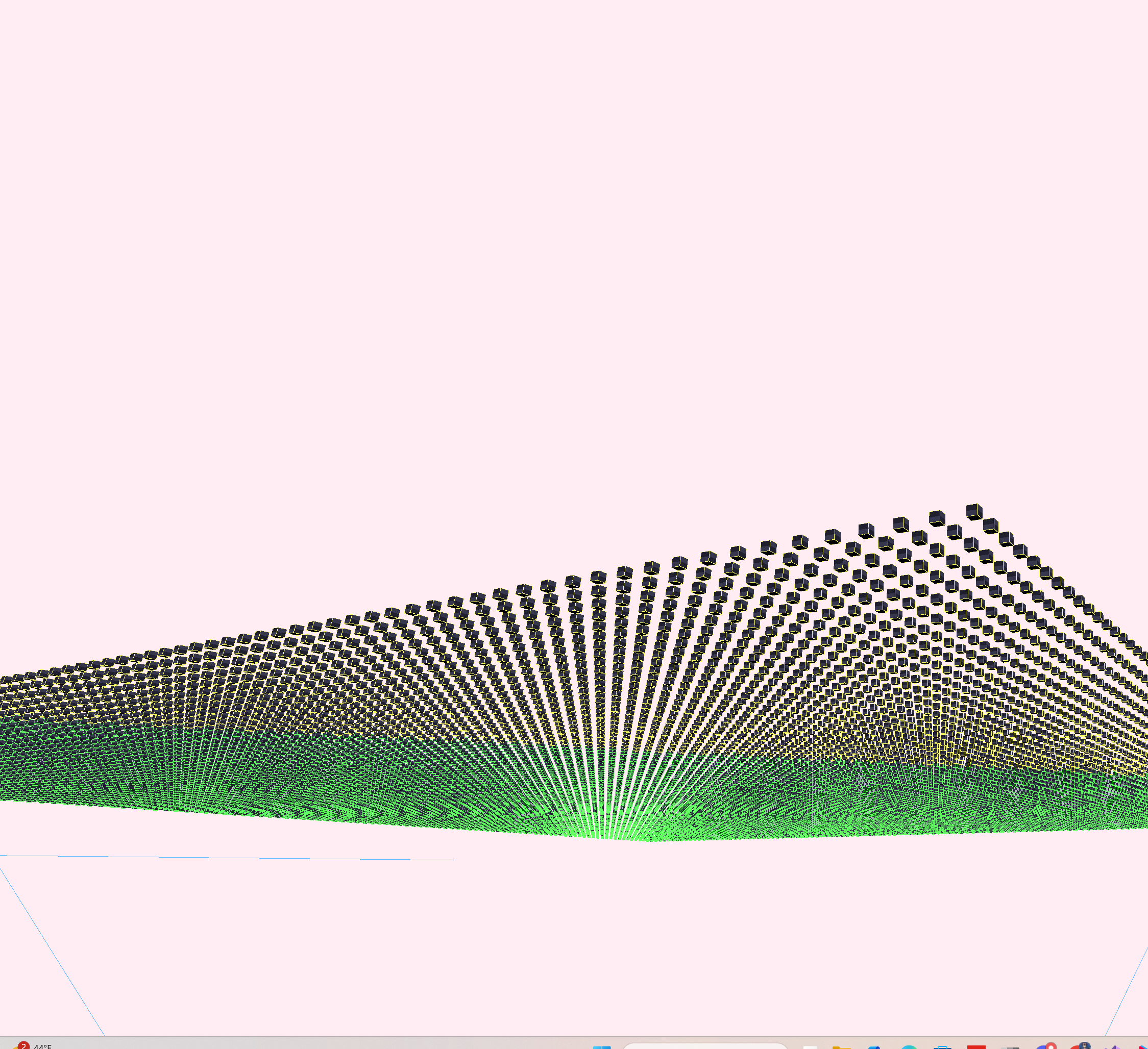
Instanced Wave
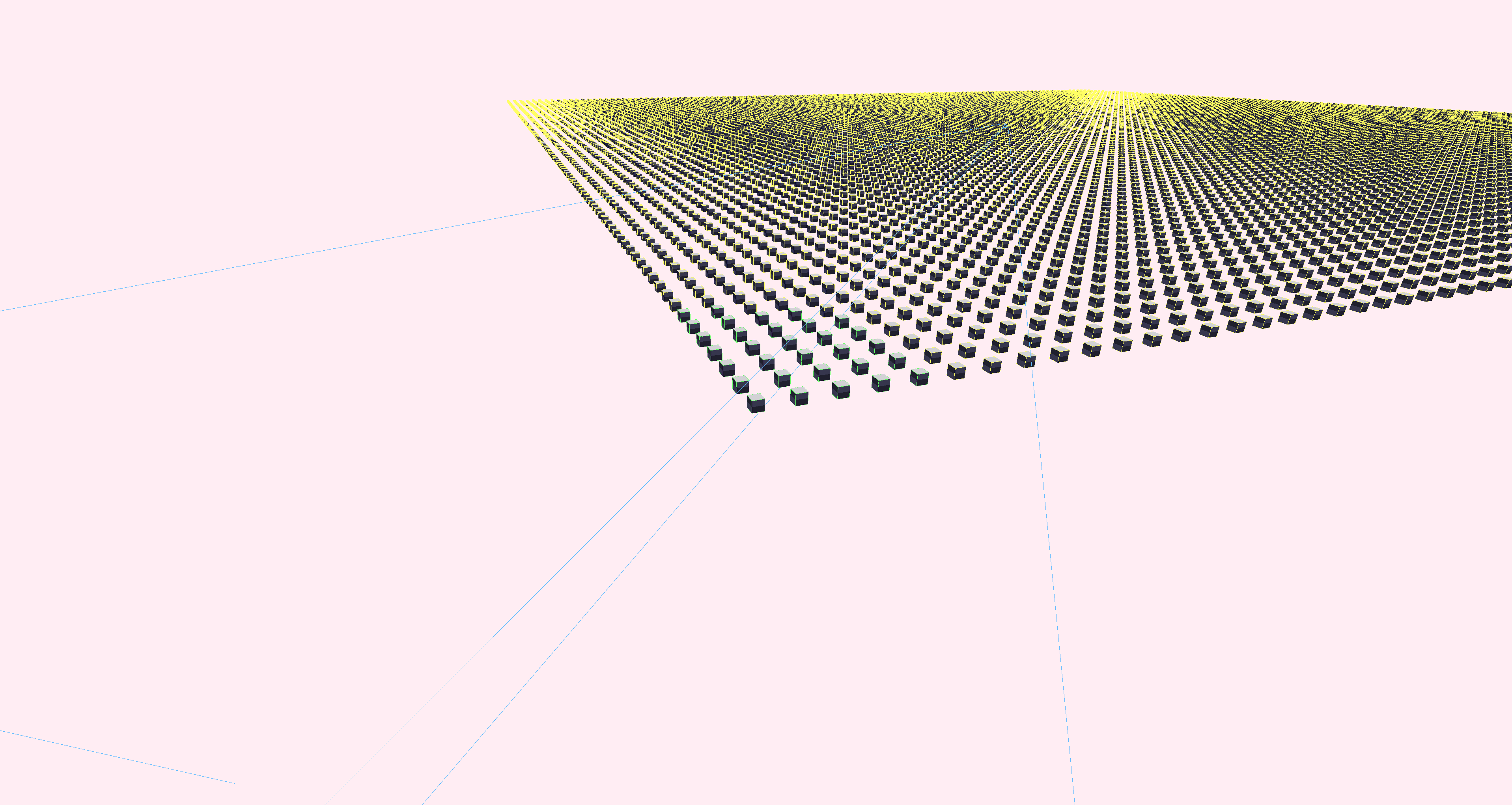
Instanced Grid

Math Animated Grid
Tech Stack
C++
Core language
Vulkan API
Graphics API
GLSL / SPIR-V
Shaders
PBR
Material model
Credits
- S72 scene format and course framework provided by the real-time rendering class.
- Environment map assets and generated IBL resources are used as renderer test content.
- Renderer implementation, material pipelines, light extraction, shadow pass, and shader work by me.