UE5 Waterball VFX
A stylized waterball made in Unreal. Instead of one big material doing everything, I split it into three parts that each solve a different problem: a refractive core ball for the body, a metaball layer for the drips clinging down its sides, and a splash for the droplets shedding off. Stacking them keeps each piece simple and easy to tweak on its own.
Final effect
Table of Contents
The Three Pieces
Each part shown on its own. Building them separately meant I could dial in the silhouette of the drips without fighting the core ball's refraction, and swap the splash timing without touching either.
Core ball
Metaball drip
Splash
A refractive sphere that carries the actual water shading. This is where the Fresnel, reflection, and refraction live.
Metaballs blend into each other by distance, so as blobs slide down and pass near one another they merge and stretch like real runoff instead of reading as separate particles. I adapted the metaball field from this ShaderToy reference and rebuilt it in a material so it could take the same water look as the core.
Sprite droplets that shed off the body to add motion and stop the ball from feeling too clean and static.
Faking the Water Look
There is no ray tracing to lean on, so the water read is built by stacking a few cheaper tricks in the material. Each one covers a different thing your eye expects from water.
- Fresnel
Reflection strength ramps up at grazing angles and stays low head-on. This is the main thing that makes the surface read as a rounded, wet volume instead of flat glass. I clamp the minimum slightly so the front face never goes completely dead.
- Reflection
A baked cubemap stands in for the environment, sampled along the reflected view vector, then masked by the Fresnel term so it only shows where it should. Desaturated a bit because the raw capture was too strong and stole attention from the ball.
- Refraction
Bends whatever is behind the ball so it reads as a solid body of water with depth, not a translucent shell.
- Scrolling texture and noise
Panning normal maps at a couple of speeds plus noise keep the surface alive and break up the silhouette so nothing sits still.
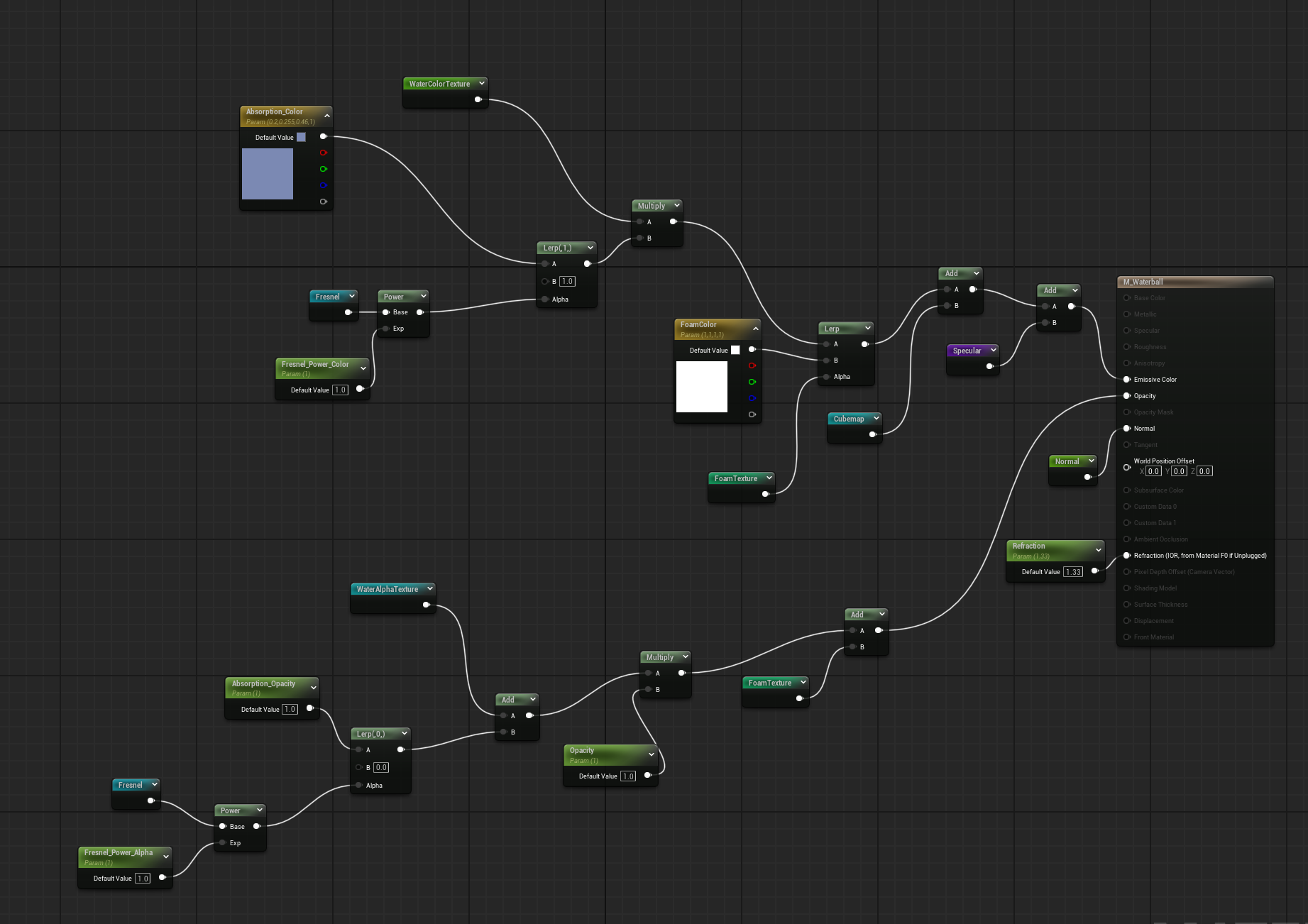
M_Waterball material graph
Baking the Reflection Cubemap
The reflection is the part I care about most since there is no real one to sample. I place a Scene Capture Cube at the ball's position, point it at a Cube Render Target, and let it grab the surroundings. The capture is realtime, so once it looks right I convert the render target into a static texture and feed that into the material. From there it is a normal cubemap lookup along the reflected vector, so I get believable reflections for basically free at runtime.
Niagara Setup
Four emitters run the whole thing: two render the water mesh for the core and the metaball drips, and two drive the sprite droplets and splash. Keeping them as separate emitters is what let me build and time each piece on its own before combining.
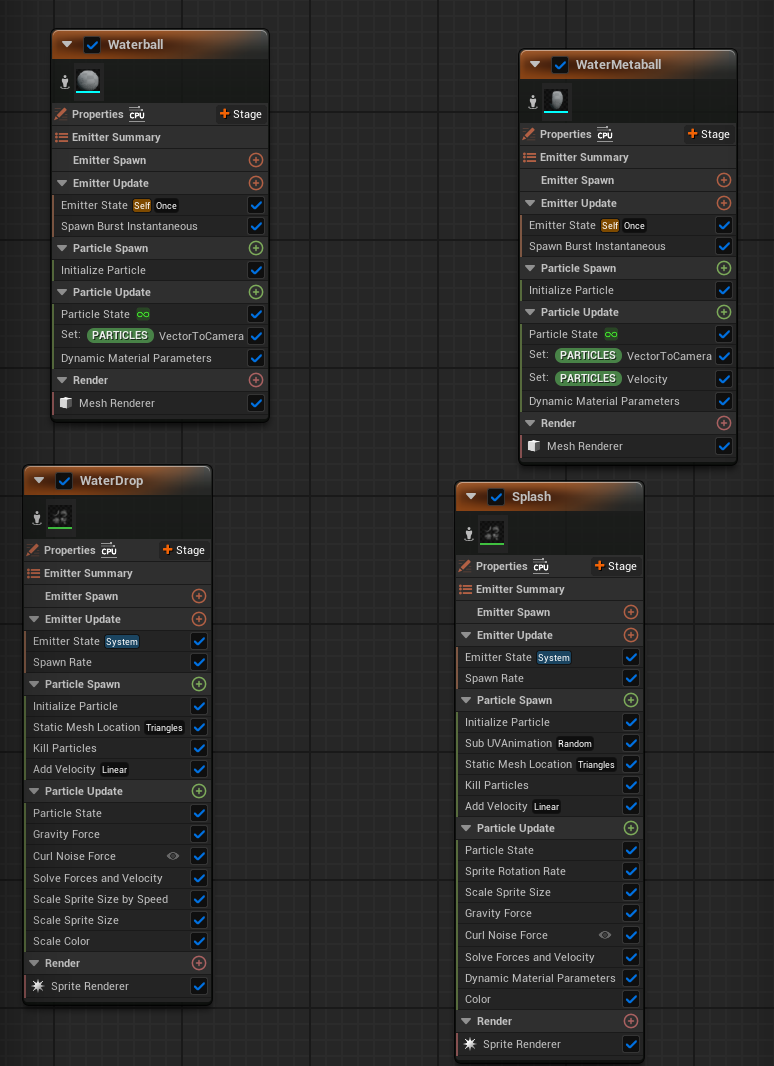
Niagara emitters
Tech Stack
Metaballs
Merging drip layer
Fresnel
Angle-based reflection
Cubemap
Baked reflections
Refraction
Water volume
Scrolling Noise
Surface motion
Niagara
Four emitters