UE5 Procedural Control Rig
A Control Rig for the UE5 Manny where the whole control setup builds itself. Instead of hand-placing every control, the rig reads the skeleton at construction and generates the FK and IK controls procedurally, so it drops onto any similar hierarchy without redoing the layout by hand. On top of that it has per-limb IK/FK switching, pole vector control, and a reverse foot setup for the feet.
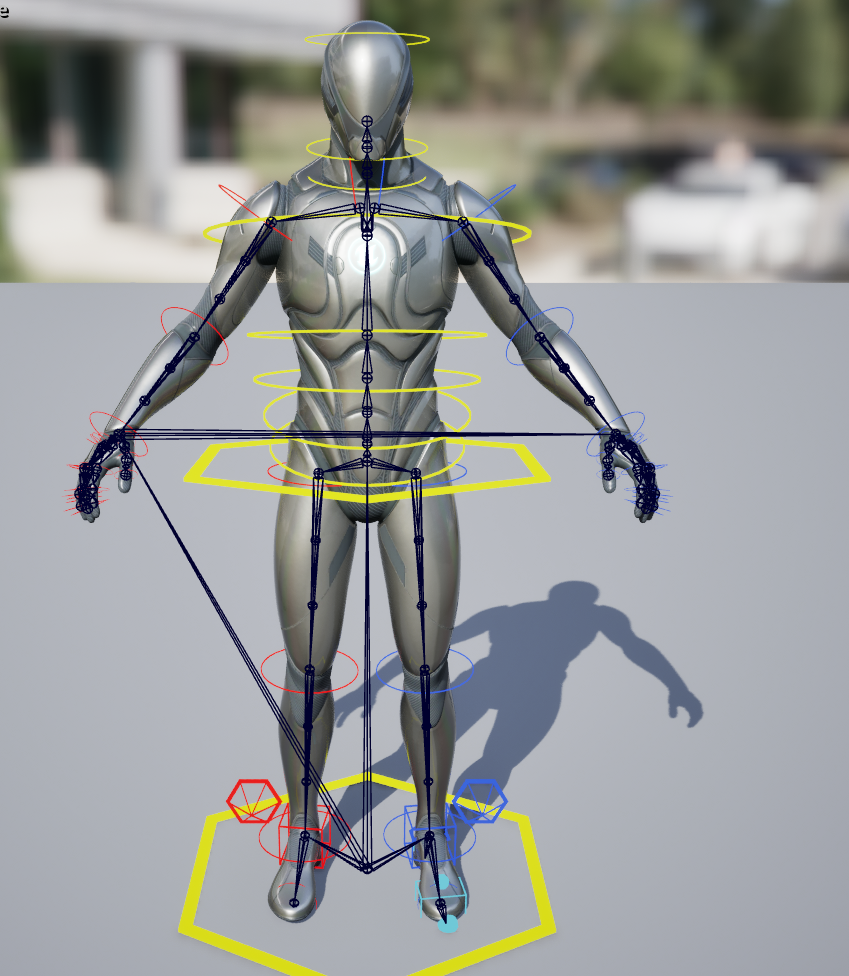
Finished rig on the UE5 Manny with FK controls visible
Table of Contents
Procedural Control Placement
The controls are not placed by hand. On the construction event the rig walks the skeleton, finds each joint it cares about, and spawns the matching controls, nulls, and offsets right on the bone transforms. That means the layout is driven by the skeleton itself, so the same graph works across characters that share the hierarchy without me repositioning anything. It also keeps naming consistent, since every control is generated from the bone it belongs to rather than typed out one by one.
The construction event drives all of this. A Sequence fans out to Init_GenericFKControls and one Init_Leg call per side, each passing in its bones, controls, and nulls plus a TokenPrefix (L or R) and a ControlColor so left and right come out named and color coded correctly. Each control is then snapped onto its bone by reading the bone transform (like pelvis) and setting the control initial from it.
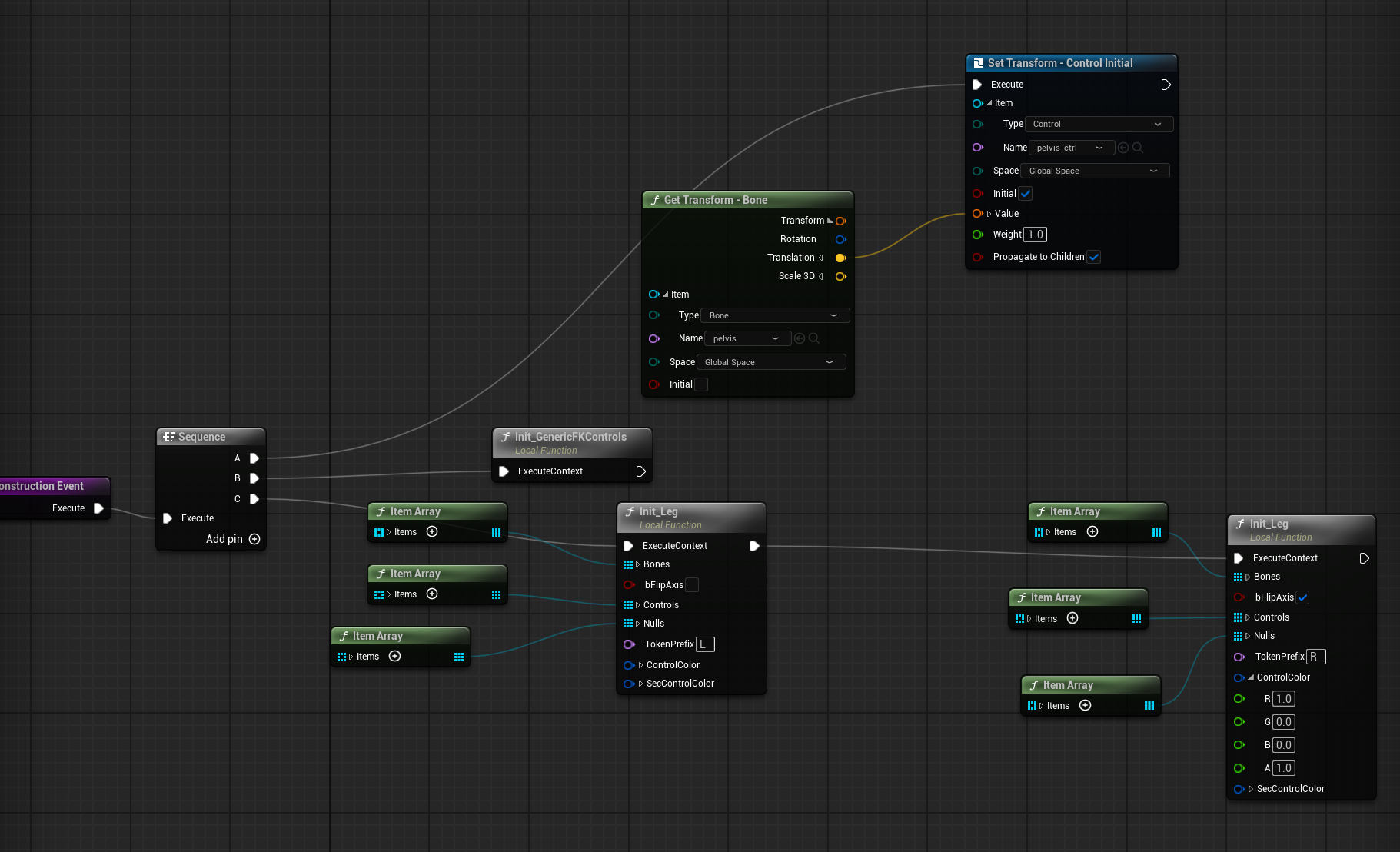
Construction event: Sequence into Init functions that build and place the controls
In the hierarchy anything shown in yellow font was placed procedurally, whether it is a control, null, or offset group. You can see the full reverse foot chain built out per side, with matching heel, toe, and ball controls plus the pole vector, all named off the bones they drive.
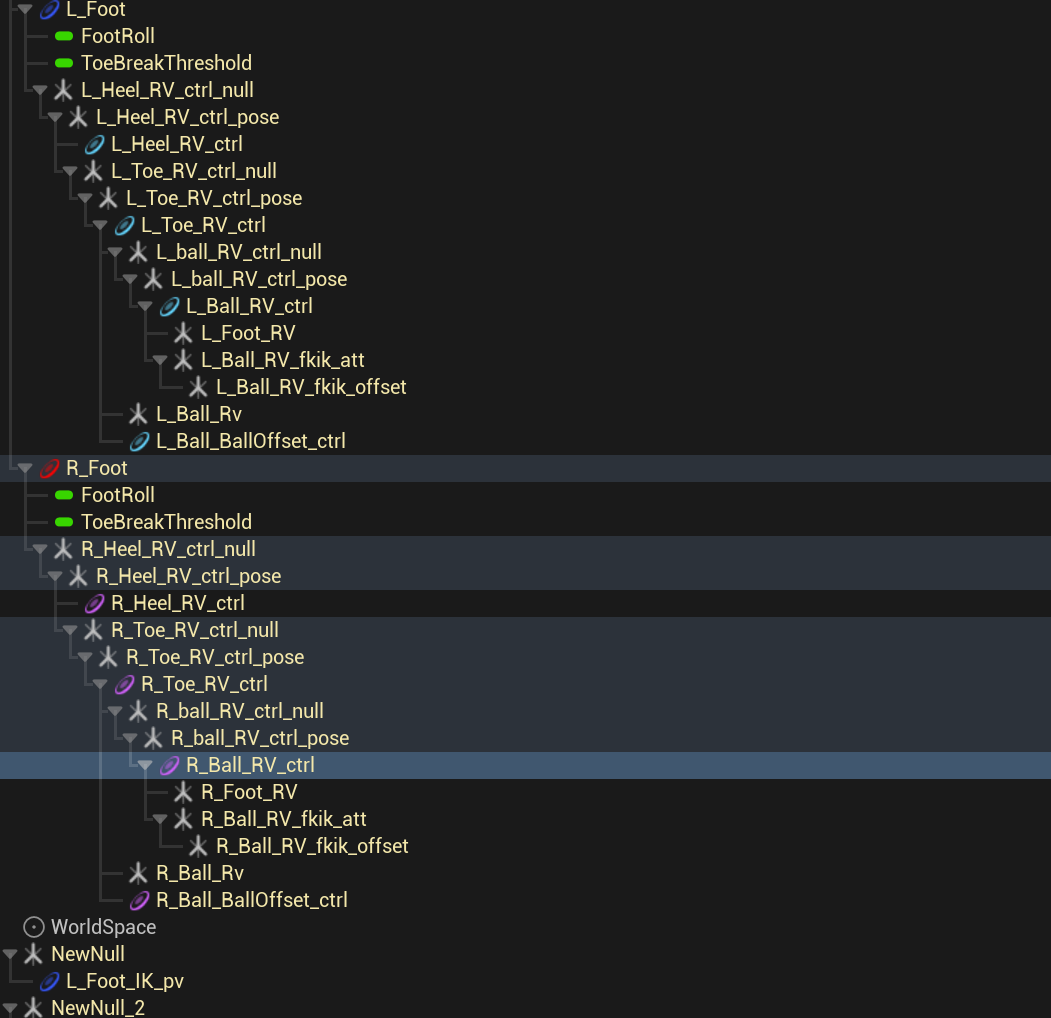
Generated rig hierarchy. Anything in yellow font was placed procedurally.
Reusable Functions
To keep the graph from turning into copy-pasted spaghetti, I broke the logic into helper functions the rig calls instead of duplicating per limb. Init_Leg and Init_GenericFKControls handle building the controls, Fwd_FKSolve and Fwd_IKLeg run the per-frame solves, and Util_AlignFKtoIK / Util_AlignIKtoFK handle the no-pop switch. Left and right just call the same functions with different inputs, so a fix lands everywhere at once.
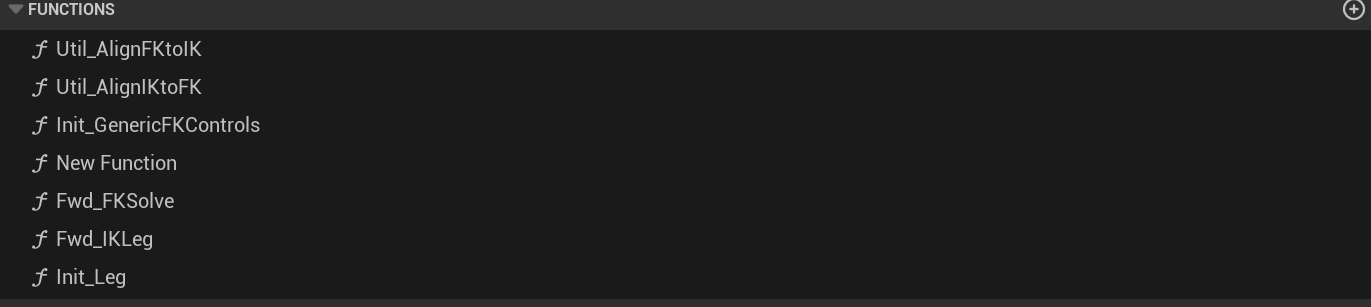
Reusable local functions the rig calls instead of duplicating logic
FK, IK, and the Switch
A limb needs both FK and IK because they solve different problems. FK rotates each joint down the chain, which is best for loose arcs like a waving arm, while IK anchors the hand or foot in place so it stays planted while the rest of the body moves. Giving the animator a switch lets them pick whichever fits the shot instead of being locked into one.
Each limb runs both solves. A per-limb bool on the layout control (like L_Leg_IK_enable) picks which one drives the bones that frame. The forward graph reads that channel, branches on it, and only runs the active solve. Before the switch flips, an alignment step matches one chain to the other (Util_AlignIKtoFK and Util_AlignFKtoIK) so the pose does not jump when you toggle it. Left and right legs mirror the same logic, which is why the graph is split into clearly labeled Fwd L Leg and Fwd R Leg blocks.
The FK solve itself is simple by design: grab every control, read each control transform, and set the matching bone in global space with propagate to children on, so a rotation at the pelvis carries down the chain. Keeping it a plain read-and-set makes it easy to run per control without special casing each joint.
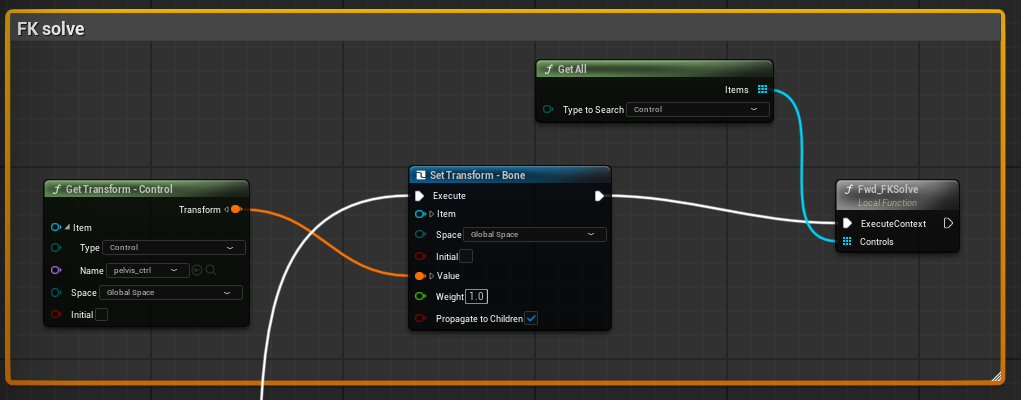
FK solve: read each control transform and drive its bone
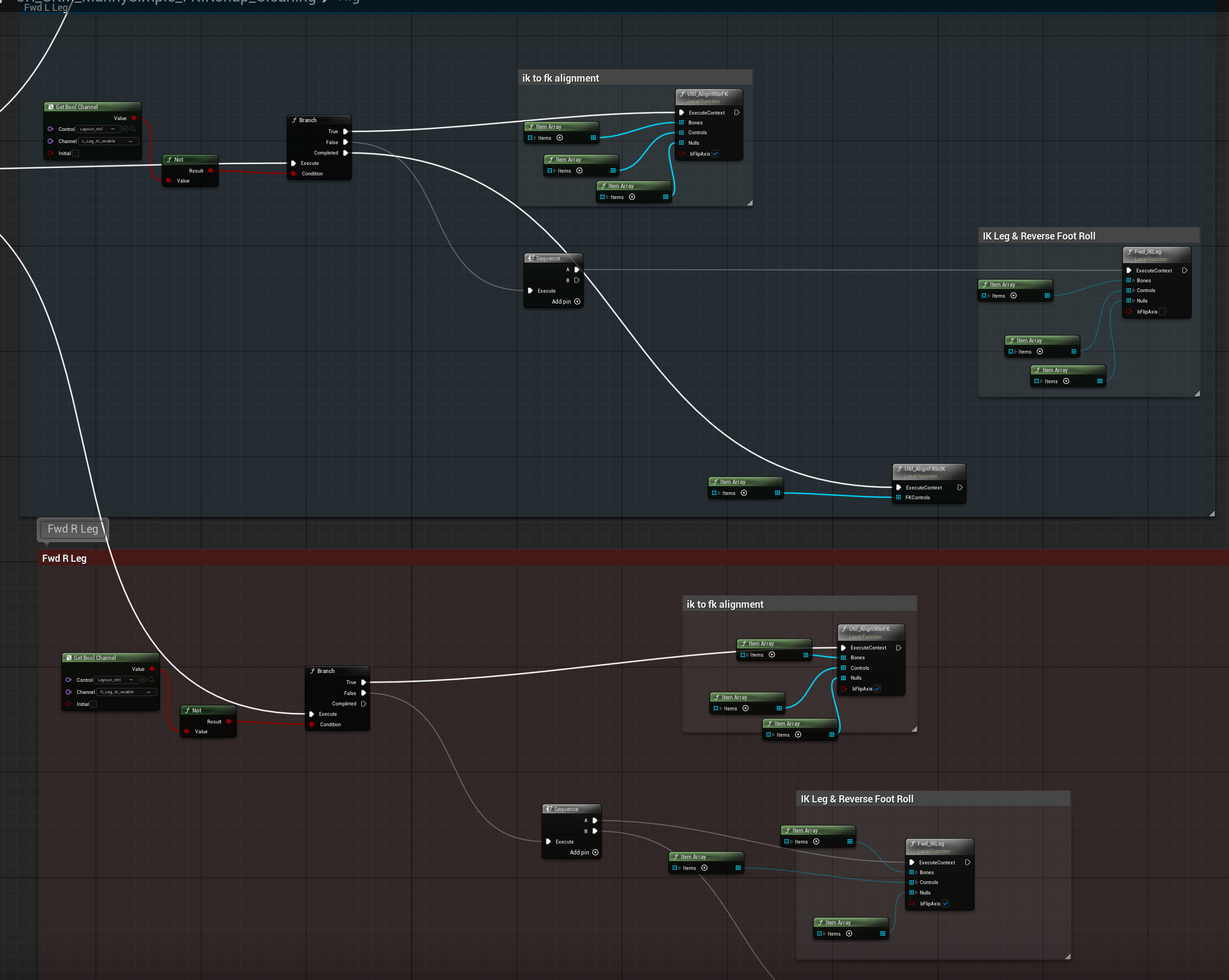
Per-leg IK/FK branch with IK-to-FK alignment and reverse foot roll
Pole Vector
The IK limbs get a pole vector control so the knee and elbow bend where you want instead of wherever the solver guesses. To place it automatically I use a small math trick: take the knee bone's forward vector and drop the pole vector a set distance along it, which puts the control right where the knee is already pointing. The elbow uses the same approach off its own forward vector. Because it is derived from the bone rather than a hardcoded position, the control lands in the correct spot the moment the rig builds and follows the skeleton if the proportions change.
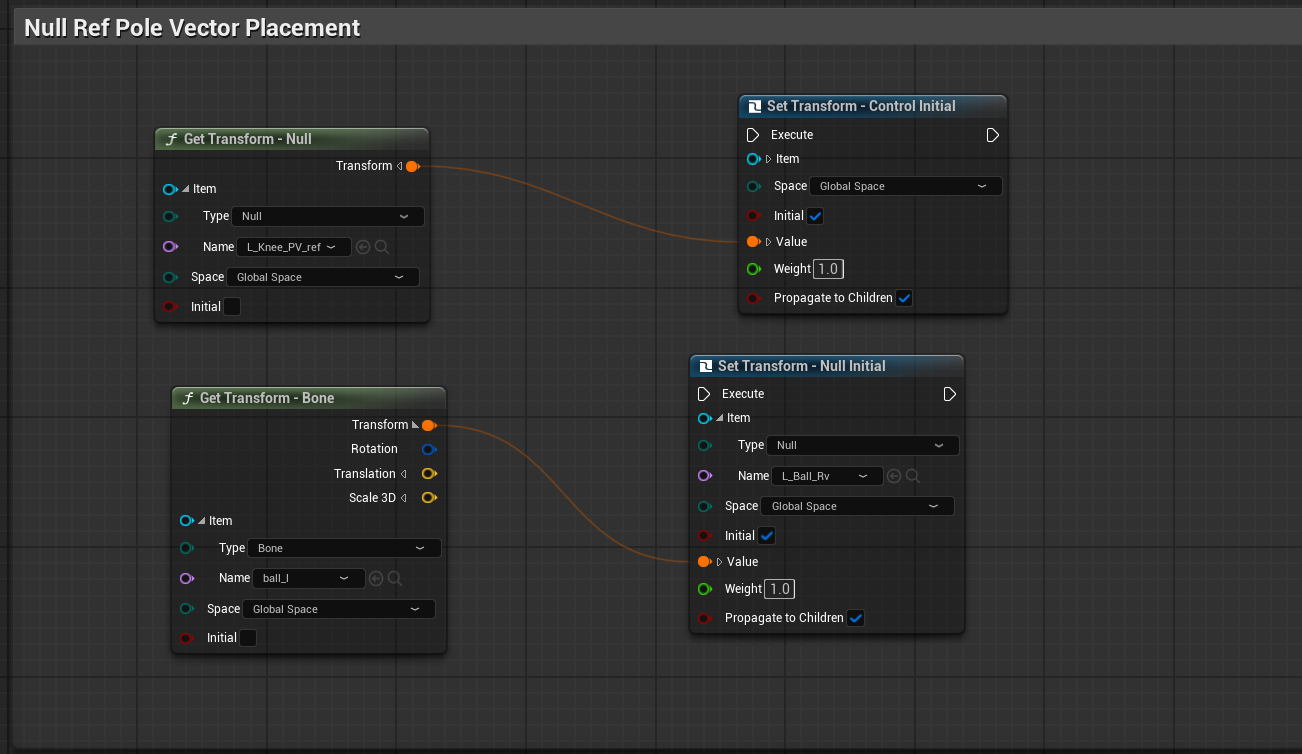
Pole vector offset along the knee bone forward vector
Space Switch
The head has a space switch so it can either follow the body or stay aligned to the world, which is handy for keeping a character looking at a fixed point while they move. A WorldAlign bool channel on the control drives a Branch, and when it flips I use Project to new Parentto reparent the control's null from the layout control into world space while preserving its current transform, so the switch happens with no pop. Reading the control transform back into the null keeps it sitting exactly where it was the instant the space changes.
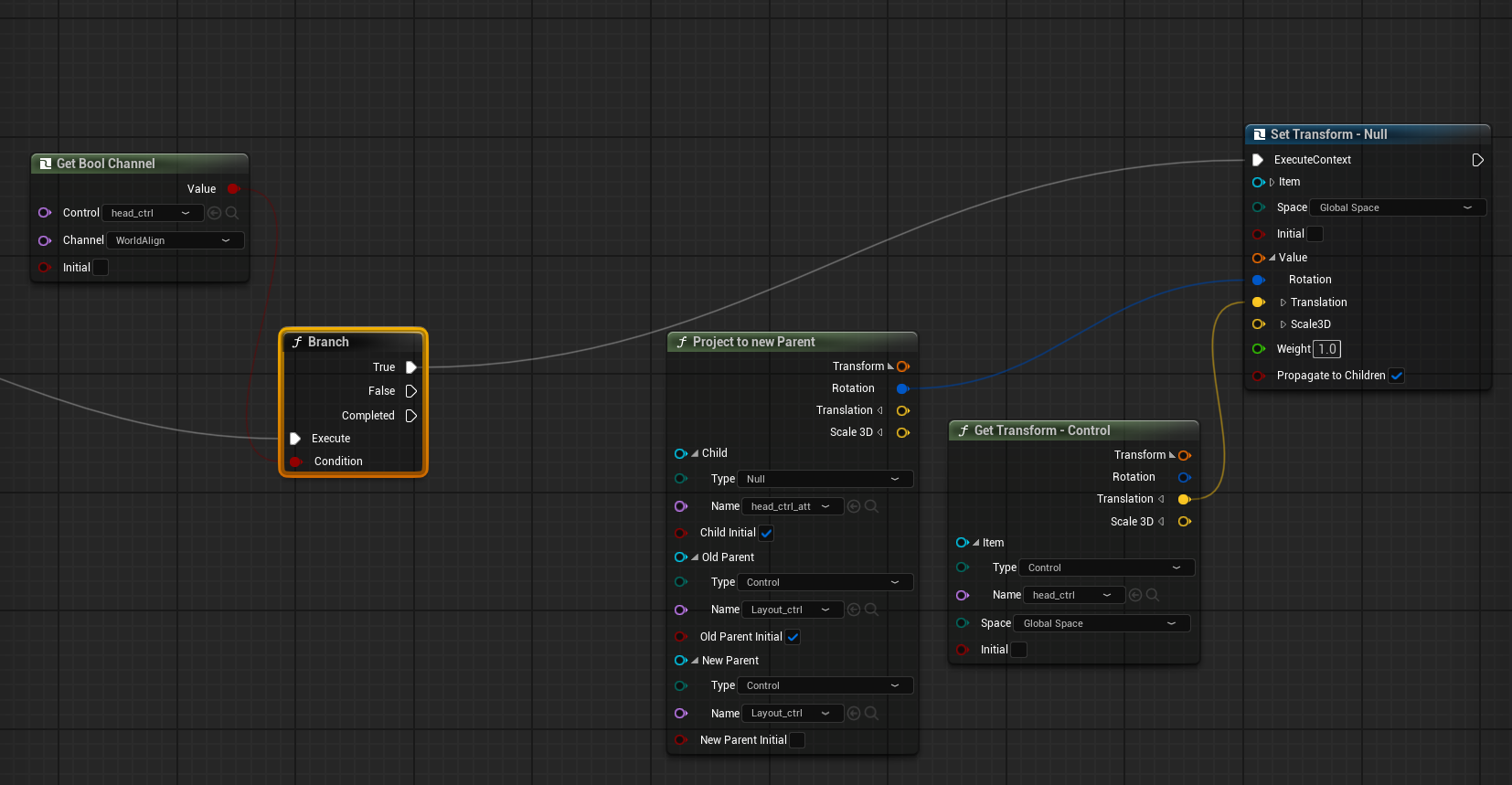
Head space switch: WorldAlign channel reparents the control between local and world space
Reverse Foot
The feet use a reverse foot setup so you can roll from heel to ball to toe from a single control. The IK leg solve feeds into the foot roll (the IK Leg & Reverse Foot Roll block), which pivots the foot around heel, ball, and toe transforms in order. That gives natural weight shifts when planting and pushing off without the animator posing each toe joint by hand.
Instead of exposing raw pivot values, I drive the roll with animation channels on the foot control. FootRoll is the single value animators key to move through the heel, ball, and toe pivots, and ToeBreakThreshold sets the angle where the roll hands off from the ball to the toe. Keeping these as named channels means the whole foot rolls off one slider instead of several controls.

FootRoll and ToeBreakThreshold animation channels on the foot control
Tech Stack
Control Rig
UE5 graph
Construction
Procedural build
IK/FK Switch
Per limb
Alignment
No-pop toggle
Pole Vector
Knee/elbow aim
Reverse Foot
Heel-ball-toe roll